|
Temos um "pack" para revenda!
Como funciona:
1- O nosso programa para revendedor é muito
simples e você pode começar ganhar dinheiro imediatamente.
2- Deve de entrar na sua conta.
3- Você terá a opção de criar e gerir os
seus clientes / contas.
4- Deve decidir se os seus clientes devem
ser revendedores, ou apenas clientes, e como. (se você também
vai ganhar dinheiro com o volume de vendas gerado pelos seus
clientes)
5- Criar tarifários (ratelists) para os
seus clientes aplicando as taxas que pretende.
6- Deste modo, pode decidir a margem que
quer aplicar.
7- Pode também criar excepções e ofertas
especiais para alguns destinos.
8- Recolher dinheiro dos seus clientes
e escolher / decidir quais os montantes a atribuir, concedendo-lhes
créditos.
9- Comunique aos seus clientes os seus detalhes
da chamada SIP
Configurar SIP: User / Login SIP 77.72.173.198
E-mail Geral suporte@kavaisver.com
|
Terminação
VoIP
A Taxa Mais Baixa de
Revenda no Mercado
Apenas
250,00 € !!!
Para
Contrato de Revenda carregamento obrigatorio de no minimo 100.00€
Inclui:
þ
Disponibilização de
um website personaliza-do, com modelo e hospedagem já incluídas
na taxa de adesão;
þ
Formação por chat /
telefone;
þ
Suporte online pela Internet;
þ
Não é obrigado a cumprir
metas de produtividade;
þ
Trabalha com a Maior Tendência
Mundial do Mercado de Comunicações;
þ
Excelente sistema de Remuneração
e Bonificação;
þ
Como se trabalha com Sistema VoIP
Pré-Pago, não se corre risco de incumprimento de pagamentos.
Notas Importantes (1):
v
Somente após comprovar o seu
pagamento será criado o seu user de acesso ao sistema;
v
O website personalizado será
igual ao http://www.voiptalkeasy.com/ com a sua marca, e domínio
à sua escolha;
Ø
OBS: o domínio tem despesas
de registo e de renovação anual, valor não
incluído no investimento inicial custo registo de domínio
de 9,76 € + IVA
v
As compras para revenda são
da responsa-bilidade do representante, pois não fazemos con-tactos
com os clientes finais dos revendedores dos nossos sistemas;
v
Todas as aquisições
de créditos só serão atribuídas após
boa cobrança.
v
Painel de controlo VOIP:
ü
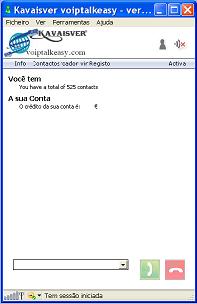
O Softphone será personalizado com a sua marca;
ü
O descarregamento do Softphone do
sistema perso-nalizado é feito directamente da área-cliente,
onde tem possibilidade de :
Ø
administrar as suas tarifas de vendas
para revendedores e clientes finais;
Ø
também criar excepções
e ofertas especiais para alguns destinos;
Ø
adicionar clientes e revendedores;
Ø
criar tabelas específicas
para cada cliente de acordo com o que pretende ganhar;
Ø
personalizar o painel de controlo
do Voip com o seu logotipo;
Ø
acesso ao sistema online para gerir
os seus clientes;
Ø
opção para decidir
a sua própria margem de preços ao criar o seu cliente,
taxas que permitirão que crie preços competitivos
para cada um dos seus clientes e / ou revendedores.
v
Formação para trabalhar
com o sistema: de 4
horas por via chat ou telefone.
Se quiser fazer parte
desta Equipa, junte-se a nós e comece a ganhar dinheiro imediatamente!
Para esclarecimento
de qualquer dúvida poderá contactar a equipe Kavaisver
:
Valério Silva 910
215 014
Vera Sena 925
223 871
Escritório 269
084 999
|
Devido
ao grande numero de registo duplicados nas base de dados dos sistemas
voip decidimos controlar de forma a poder oferecer aos utilizadores
de nossos sistema um serviço de alta qualidade
Pode utilizar o voiptalkeasy com o seguinte tipo de dispositivos
 |
SIP ATA (Analogue
Telephone Adapter) |
 |
SIP Router |
 |
xDSL Modem |
A maioria dos dispositivos está equipada com uma combinação das
seguintes
Example
1
(this is merely an example layout, every type of device can be
different)
Example
2

(this is merely an example layout, every type of device can be
different)
 |
(A)DSL: connect
your line from your (A)DSL provider (not available on a ATA) |
 |
WAN: connect
your line from your xDSL modem/router |
 |
LAN: port
for your (home) network, you can connect e.g. your PC, lap-top,
network-printer or wireless router |
 |
PHONE: here
you can connect your analogue telephone |
 |
LINE: connect
your analogue (PSTN) telephone line |
 |
USB: you
can connect PC or lap-top with a free USB port |
Some SIP devices have more than one LAN port and/or PHONE port
available.
For the hardware connections from your SIP device look at the
above information and your user manual. After connecting the hardware
you have to make sure that your software is installed and configured
the right way.
Software configuration
Below are some examples of the software configuration of various
popular SIP devices. Please also consult the manual that came
with your SIP device
AVM
Fritz!box FON 7050 |
(click
here to expand) |


|
Fill in the following settings:
| |
 |
Internet
number: your voiptalkeasy username (if available) |
 |
User
Name: fill in your username, this is the username
you used for the registration of your voiptalkeasy-account
|
 |
Password:
fill in your password, this is the password you used
for the registration of your voiptalkeasy-account |
 |
Password
confirmation: fill in your password again |
 |
Registrar:
this is sip. 77.72.173.198 |
 |
Proxy
server: this is sip 77.72.173.198 |
 |
Overview
- number 1, 2 or 3: your VOIP phone number (if available) |
|
AVM
Fritz!box FON ATA 1020 |
(click
here to expand) |

|
Fill in the following settings:
| |
 |
Internet
number: you can fill-in e.g. your name or telephone
number |
 |
User
name: fill in your username, this is the username
you used for the registration of your voiptalkeasy-account
|
 |
Password:
fill in your password, this is the password you used
for the registration of your voiptalkeasy-account |
 |
Password
confirmation: fill in your password again |
 |
Registrar:
this is sip.77.72.173.198 |
 |
STUN-Server:
this is
|
|
LINKSYS
WIP330 |
(click
here to expand) |

|
Fill in the following settings:
| |
 |
SIP
Proxy: 77.72.173.198 |
 |
SIP Proxy Port: this is port number 5060 |
 |
Registrar
Address: 77.72.173.198 |
 |
Registrar
Port: this is port number 5060 |
 |
Expiry
Time(sec): this is 3600 seconds |
 |
Display
name: you can fill-in your name, this name will be
displayed in the phone screen of the person you are
calling |
 |
Registrar
Name: your username, this is the username you used
for the registration of your voiptalkeasy-account |
 |
Registrar
Password: your password, this is the password you
used for the registration of your voiptalkeasy-account
|
|
LINKSYS
SPA3102 |
(click
here to expand) |

|
Fill in the following settings:
| |
 |
Line
Enable: Yes |
 |
SIP
Port : portnumber 5060 |
 |
Proxy:
77.72.173.198 |
 |
Register:
this is 'Yes' |
 |
Make
Call Without Reg: fill in 'Yes' |
 |
Register
Expires: this is 3600 seconds |
 |
Ans
Call Without Reg: fill in 'No' |
 |
Display
name: you can fill-in your name, this name will be
displayed in the phone screen of the person you are
calling |
 |
User
ID: fill in your username, this is the username you
used for the registration of your voiptalkeasy-account
|
 |
Password:
fill in your password, this is the password you used
for the registration of your voiptalkeasy-account |
 |
Use
Auth ID: set to 'No'
|
|
GRANDSTREAM
HT286 |
(click
here to expand) |

|
Fill in the following settings:
| |
 |
SIP
server : 77.72.173.198 |
 |
Outbound
proxy : o77.72.173.198 |
 |
SIP
User ID : fill in your username, this is the username
you used for the registration of your voiptalkeasy-account |
 |
Authenticate
Password : your password, this is the password you
used for the registration of your voiptalkeasy-account |
 |
Name
: you can fill-in your name, this name will be displayed
in the phone screen of the person you are calling |
 |
Don't
change the Advanced Options
|
|
GRANDSTREAM
HT386 |
(click
here to expand) |

|
Fill in the following settings:
| |
 |
SIP
Server : 77.72.173.198 |
 |
Outbound
Proxy : 77.72.173.198 |
 |
SIP
User ID : fill in your username, this is the username
you used for the registration of your voiptalkeasy-account |
 |
Authenticate
Password : your password, this is the password you
used for the registration of your voiptalkeasy-account |
 |
Name
: your name, this name will be displayed in the phone
screen of the person you are calling |
 |
Local
SIP port : fill in 5060 |
 |
Don't
change the other options |
|
GRANDSTREAM
HT486 |
(click
here to expand) |

|
Fill in the following settings:
| |
 |
SIP
Server : fill in sip.voiptalkeasy.com or 77.72.173.198 |
 |
Outbound
Proxy : 77.72.173.198 |
 |
SIP
User ID : fill in your username, this is the username
you used for the registration of your voiptalkeasy-account |
 |
Authenticate
Password : your password, this is the password you
used for the registration of your voiptalkeasy-account |
 |
Name
: you can fill-in your name, this name will be displayed
in the phone screen of the person you are calling |
 |
Don't
change the Advanced Options |
|
GRANDSTREAM
HT496 |
(click
here to expand) |

|
Fill in the following settings:
| |
 |
SIP
server : 77.72.173.198 |
 |
Outbound
Proxy : 77.72.173.198 |
 |
SIP
User ID : fill in your username, this is the username
you used for the registration of your voiptalkeasy-account |
 |
Authenticate
Password : your password, this is the password you
used for the registration of your voiptalkeasy-account |
 |
Name
: your name, this name will be displayed in the phone
screen of the person you are calling |
 |
Local
SIP port : fill in 5060 |
 |
Don't
change the other options |
|
SIEMENS
SX553 |
(click
here to expand) |

|
Fill in the following settings:
| |
 |
Rufnummer
: your voiptalkeasy username |
 |
Namen
anzeigen : you can fill in your name |
 |
SIP-Domäne
: 77.72.173.198 |
 |
Bereich
: 77.72.173.198 |
 |
Benutzername
: fill in your username, this is the username you
used for the registration of your voiptalkeasy-account |
 |
Passwort
: fill in your password, this is the password you
used for the registration of you voiptalkeasy-account
|
 |
SIP
Listen-Port : this is port 5060 |
 |
Proxy-IP-Adresse
: 77.72.173.198 |
 |
Proxy-Port
: this is port 5060 |
 |
Registrar-IP-Adresse
: 77.72.173.198 |
 |
Registrar-Port
: this is port 5060 |
|
SMC
7908 VoWBRA |
(click
here to expand) |

|
Fill in the following settings:
| |
 |
Username
: fill in your username, this is the username you
used for the registration of your voiptalkeasy-account |
 |
Password
: fill in your password, this is the password you
used for the registration of your voiptalkeasy-account |
 |
Phone
Number : your voiptalkeasy username |
 |
Display
Name : you can fill in your name |
 |
SIP
Domain :voiptalkeasy.com |
 |
Realm
: fill in 77.72.173.198 |
 |
Proxy
IP Address : 77.72.173.198 |
 |
Proxy
Port : this is port 5060 |
 |
Registrar
IP Address : 77.72.173.198 |
 |
Registrar
Port : this is port 5060 |
|
X-lite
v3.0 Software |
(click
here to expand) |

|
Fill in the following settings:
| |
 |
Display
Name : fill in your your name, this name will be displayed
in the phone screen of the person you are calling |
 |
User
name : fill in your username, this is the username
you used for the registration of your voiptalkeasy-account |
 |
Password
: fill in your your password, this is the password
you used for the registration of your voiptalkeasy-account |
 |
Authorization
user name : same as User name |
 |
Domain
: 77.72.173.198 |
|
|